






Go to Windows platform Display platforms icon
Go to Windows platform Go to Mac platform Go to Android platform Go to iOS platform
FreedomGPT icon

FreedomGPT

3.0.3
5 2 reviews
21.1 k downloads
security security

A private, fast and offline AI

Advertisement
Remove ads and more with Turbo
Advertisement
Remove ads and more with Turbo
Andrés López icon
Reviewed by
Andrés López
Content Editor
Andrés López is part of Uptodown's in-house Editorial Team. Translated by Uptodown Localization Team

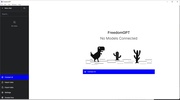
FreedomGPT is a program that allows you to run an AI model locally, directly from your Windows PC, with 100% privacy. By not needing to access the Internet to interact with the AI, you can also have a much faster and smoother offline experience than you would have on platforms such as ChatGPT and others like it.

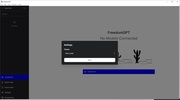
Setting up FreedomGPT is much simpler than it may seem at first glance. Once the program is installed, which will only take a few minutes, you only need to click on Connect AI. After this, you'll see two options: Liberty, a straightforward and honest AI; and Scarlett, an AI model with more emotional intelligence. You'll be able to start downloading either of them with a single click, although you should keep in mind that each one takes up around 5 GB. If neither of these two AI models convinces you, you can also import your own.

Advertisement
Remove ads and more with Turbo

Once you have finished downloading or configuring an AI model, you can start interacting with it. The way to do this is identical to the one you're probably already familiar with: talk. You can ask this local AI model any question and it will answer you instantly. You don't need to be connected to the Internet to use the program, and all your interactions with your AI model are completely anonymous and private. And, because there is no need to connect to the Internet, your interactions will also be fast.

Download FreedomGPT if you want to experiment with new AI models. But keep in mind that, between the installation of the software itself and the AI model, the program may take up anywhere between 8 and 10 GB. In addition to this, you'll need a computer with at least 16 GB of RAM for everything to run smoothly and correctly.

Information about FreedomGPT 3.0.3

Basic information

Developer Ohm Platform
Category Artificial Intelligence
Rating Not specified
Languages English
47 more

Distribution model

Pricing Free
License Proprietary
Copyright © 2026 Ohm Platform
Why is this app published on Uptodown? (More information)

Security and privacy

Required permissions Not applicable
See security and antivirus report

Download info

Downloads 21,076
Date May 24, 2024
File type EXE
Size 281.21 MB
SHA256 7a8a5343069bf975bef0419d77527d8780a3dd8930dc7d5e724dfd028d1fb174
Advertisement
Remove ads and more with Turbo

Older versions

exe 3.0.2 May 20, 2024
exe 3.0.0 Apr 15, 2024
exe 2.5.1 Feb 2, 2024
exe 2.0.1 Aug 29, 2023
Available for other platforms

Rate this App

Review the app
FreedomGPT icon

Rating

5.0
5
4
3
2
1
2 reviews

Comments

There are no opinions about FreedomGPT yet. Be the first! Comment

Advertisement
Remove ads and more with Turbo
LM Studio icon
Discover, download and run LLMs locally
ComfyUI icon
Powerful visual engine for AI image generation
Vibe icon
A powerful AI audio transcription tool
Ollama icon
Run any LLM locally
Upscayl icon
Improve your images with AI
Pinokio icon
Simple and powerful local AI launcher
GPT4All icon
Run language models locally
AnythingLLM icon
Everything you're looking for from AI in a desktop app
LM Studio icon
Discover, download and run LLMs locally
ComfyUI icon
Powerful visual engine for AI image generation
Amuse icon
Generate visual content with AI locally
Vibe icon
A powerful AI audio transcription tool
Ollama icon
Run any LLM locally
OmniRoute icon
Connect your coding tools to over 200 free AIs
OpenClaw Companion icon
Control your PC with AI
Pieces icon
Optimize your programming by saving code snippets
Codex icon
OpenAI's official companion for programming with ChatGPT
ChatGPT icon
Windows desktop version of ChatGPT
Kindle icon
The best way to read your Kindle books on a computer
3uTools icon
The best way to manage your iOS device
Claude icon
An AI-based chatbot that respects your privacy
OP Auto Clicker icon
Automate mouse clicks on your computer
Windows Notepad icon
Official Windows Notepad app
DroidKit icon
Troubleshoot Android technical issues on Windows